What could be more fun than imagining the cooler temps slowly creeping in, and waking up to a foot of freshly fallen snow on a gorgeous winter morning?
Oh… a lot of things? Well, we love Minnesota winters and the abundance of winter activities, so let’s do it anyway!
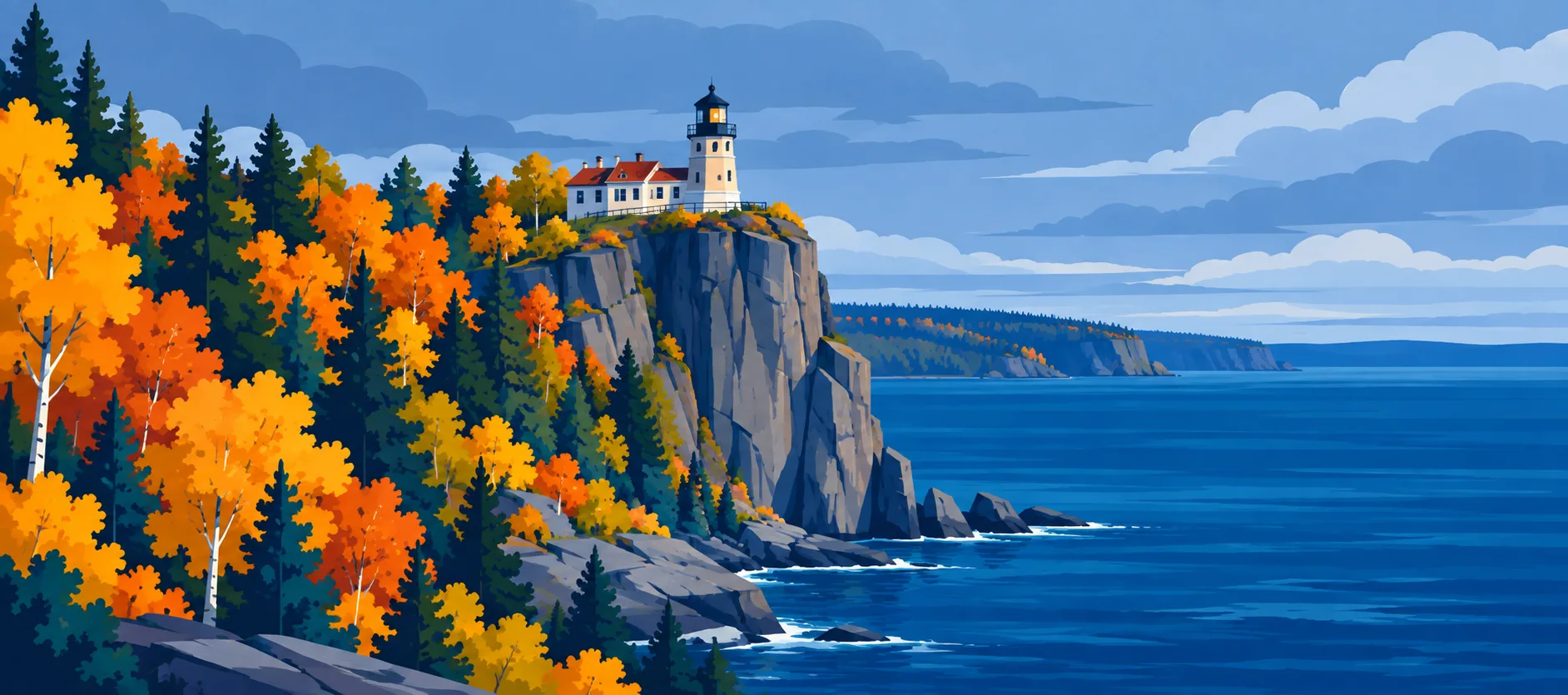
Choose an image below, mouseover or drag your finger, and you’ll turn the Minnesota landmark into winter! The part you’ve “erased” stays that way until you reset it.
It looks a bit like rubbing away the top layer of a picture. Underneath, it’s two seasonal images lined up in the same frame. JavaScript paints a trail into an SVG mask, which controls where the winter image shows.
Try it first
Move a mouse or finger across the image to reveal the winter version beneath your path. The reveal remains painted. Choose Reset reveal to return to the original scene and start again.
Two aligned seasonal images
The original image is always present at full strength. Its winter counterpart sits directly above it. At first the mask is empty, so the original scene shows through. As we paint white into the mask, the matching area of the winter scene appears.
Both layers use the same frame and crop. That alignment is important: if the images crop differently, landmarks will appear to jump as the winter scene is revealed.
Here is the minimum markup. Replace the sample image paths with matching seasonal images: use the same landmark, dimensions, and crop so the winter layer lines up exactly with the original.
<div class="reveal" data-reveal>
  <!-- Keep the SVG definitions in the document; CSS uses this mask by its ID. -->
  <svg class="reveal__mask-defs" aria-hidden="true">
    <defs>
      <!-- Each pointer stamp uses this soft-edged white-to-transparent brush. -->
      <radialGradient id="reveal-brush">
        <stop offset="0%" stop-color="white" />
        <stop offset="58%" stop-color="white" />
        <stop offset="100%" stop-color="white" stop-opacity="0" />
      </radialGradient>
      <!-- Alpha starts fully transparent; JavaScript adds white brush marks below. -->
      <mask id="reveal-mask" maskContentUnits="objectBoundingBox" style="mask-type: alpha">
        <rect width="1" height="1" fill="black" fill-opacity="0" />
        <g data-reveal-spots fill="url(#reveal-brush)"></g>
      </mask>
    </defs>
  </svg>
  <!-- The original is the accessible base image and remains visible before any reveal. -->
  <img class="reveal__base" src="split-rock-summer.jpg" alt="Split Rock Lighthouse above Lake Superior" />
  <!-- Winter duplicates the same scene and is hidden from assistive technology. -->
  <img class="reveal__winter" src="split-rock-winter.jpg" aria-hidden="true" />
</div>
<!-- Reset only clears the painted mask; it does not replace either image. -->
<button type="button" data-reveal-reset>Reset reveal</button>
The original image has meaningful alternative text; the winter overlay is decorative and hidden from assistive technology with aria-hidden because it is a visual effect on the same landmark. The SVG only supplies the brush gradient and mask—it does not draw or alter either image. Keep the SVG in the DOM rather than setting it to display: none, because the CSS mask references its ID.
Put the images in the same frame
The wrapper defines one crop for both layers. The original scene remains visible; the winter layer starts invisible because no part of its mask has been painted yet.
.reveal {
  position: relative;
  /* Match the source images' ratio so neither season is unexpectedly cropped. */
  aspect-ratio: 1884 / 835;
  /* Both images share this frame and any overflow is clipped to its edges. */
  overflow: hidden;
  /* Preserve vertical page scrolling on touch while pointer events handle reveal strokes. */
  touch-action: pan-y;
}

.reveal__mask-defs {
  position: absolute;
  width: 1px;
  height: 1px;
  overflow: hidden;
  /* Keep the SVG referenceable without taking visible layout space. */
}

.reveal img {
  /* Identical positioning, size, and object-fit keep the two scenes aligned. */
  position: absolute;
  inset: 0;
  width: 100%;
  height: 100%;
  object-fit: cover;
}

.reveal__winter {
  /* The empty alpha mask hides this layer until JavaScript paints into it. */
  -webkit-mask: url(#reveal-mask);
  mask: url(#reveal-mask);
}
The mask uses alpha: zero opacity hides the top image, while opaque white reveals it. A radial gradient gives each brush stamp a solid center and a transparent edge, so the transition is feathered rather than a hard circle. The 1884 / 835 ratio matches the sample Split Rock Lighthouse artwork; use the ratio of your own source images if it differs.
Paint a continuous path
Pointer events arrive at uneven intervals. If we add only one circle for each event, a fast swipe can leave gaps. We compare the new point with the previous one and add intermediate stamps about 18 pixels apart. Each ellipse is stored in normalized image coordinates, so the mask still lines up if the preview changes size.
// Find the image area, the SVG group where brush marks are stored, and the reset control.
const surface = document.querySelector("[data-reveal]");
const brush = surface.querySelector("[data-reveal-spots]");
const reset = document.querySelector("[data-reveal-reset]");

// `previous` connects brush marks into a line; `pending` holds the latest pointer position.
// `frame` prevents scheduling more than one paint operation per browser frame.
let previous = null;
let pending = null;
let frame = 0;

function stamp(x, y) {
  const bounds = surface.getBoundingClientRect();
  const ellipse = document.createElementNS("http://www.w3.org/2000/svg", "ellipse");

  // SVG mask coordinates are normalized (0–1), so the marks stay aligned when resized.
  ellipse.setAttribute("cx", (x - bounds.left) / bounds.width);
  ellipse.setAttribute("cy", (y - bounds.top) / bounds.height);

  // Convert a fixed 50px radius to normalized image coordinates; no size control is needed.
  ellipse.setAttribute("rx", 50 / bounds.width);
  ellipse.setAttribute("ry", 50 / bounds.height);
  brush.append(ellipse);

  // Discard the oldest marks after 800 to keep long gestures from growing the DOM forever.
  if (brush.childElementCount > 800) brush.firstElementChild.remove();
}

function paintFrame() {
  frame = 0;
  // Consume the newest queued position; intermediate events are safely coalesced.
  const point = pending;
  pending = null;
  if (!point) return;

  const distance = previous
    ? Math.hypot(point.x - previous.x, point.y - previous.y)
    : 0;
  // Add a mark about every 18px so quick pointer movement does not leave gaps.
  const steps = Math.max(1, Math.ceil(distance / 18));

  for (let step = 1; step <= steps; step += 1) {
    const amount = step / steps;
    stamp(
      previous ? previous.x + (point.x - previous.x) * amount : point.x,
      previous ? previous.y + (point.y - previous.y) * amount : point.y
    );
  }

  previous = point;
}

function queuePaint(event) {
  pending = { x: event.clientX, y: event.clientY };
  // Let the browser combine rapid pointer events into one paint per animation frame.
  if (!frame) frame = requestAnimationFrame(paintFrame);
}

// Pointer events support both mouse and touch; passive movement avoids blocking scrolling.
surface.addEventListener("pointermove", queuePaint, { passive: true });
surface.addEventListener("pointerdown", queuePaint);
// Start a fresh stroke after leaving so the next entry does not bridge across the gap.
surface.addEventListener("pointerleave", () => { previous = null; });

reset.addEventListener("click", () => {
  // Cancel any queued work, forget the stroke position, and clear all saved reveal marks.
  if (frame) cancelAnimationFrame(frame);
  frame = 0;
  pending = null;
  previous = null;
  brush.replaceChildren();
});
requestAnimationFrame batches pointer updates with the browser’s next paint. The visitor’s path stays in the SVG mask after the pointer leaves; only the reset button clears it. This short example keeps at most 800 live brush stamps by dropping the oldest ones, bounding DOM work but not preserving an unlimited painting history. A bitmap or canvas mask can archive older marks more compactly.
The interactive example above takes that next step: once the live SVG layer reaches its limit, older brush stamps are painted into a local canvas and shown as a bitmap inside the SVG mask. Newer marks stay as SVG ellipses, preserving smooth edges, while older marks remain visible without an ever-growing list of DOM nodes. Reset clears both the bitmap and the live marks.
Why keep the reveal in JavaScript?
CSS handles the image layers and the soft brush shape. JavaScript only records pointer positions, fills the gaps between them, and clears the stored path on reset. There is no animation framework, continuously running loop, or third-party request.
This division also makes the behavior easier to tune. The copyable example uses a fixed 50-pixel radius; softness is controlled by the radial-gradient stops, and path smoothness by the 18-pixel spacing. The live playground adds a brush-size slider from 10 to 100 pixels, starting at 50 pixels. Keep those values in proportion to the displayed image and test a quick diagonal swipe; that is where gaps show up first.
The article demo uses this pattern to transition between two seasons of the same landmark. The footer uses the same basic mask technique for a separate decorative reveal; there, a subdued illustration remains visible without interaction and the cursor adds a little extra play.
Reveal winter with your cursor
On desktop, mouse over the image to reveal its snowy winter counterpart. On touch screens, drag across it. The reveal stays painted until you reset it.
 Mouse over to reveal winterTouch and move to reveal winter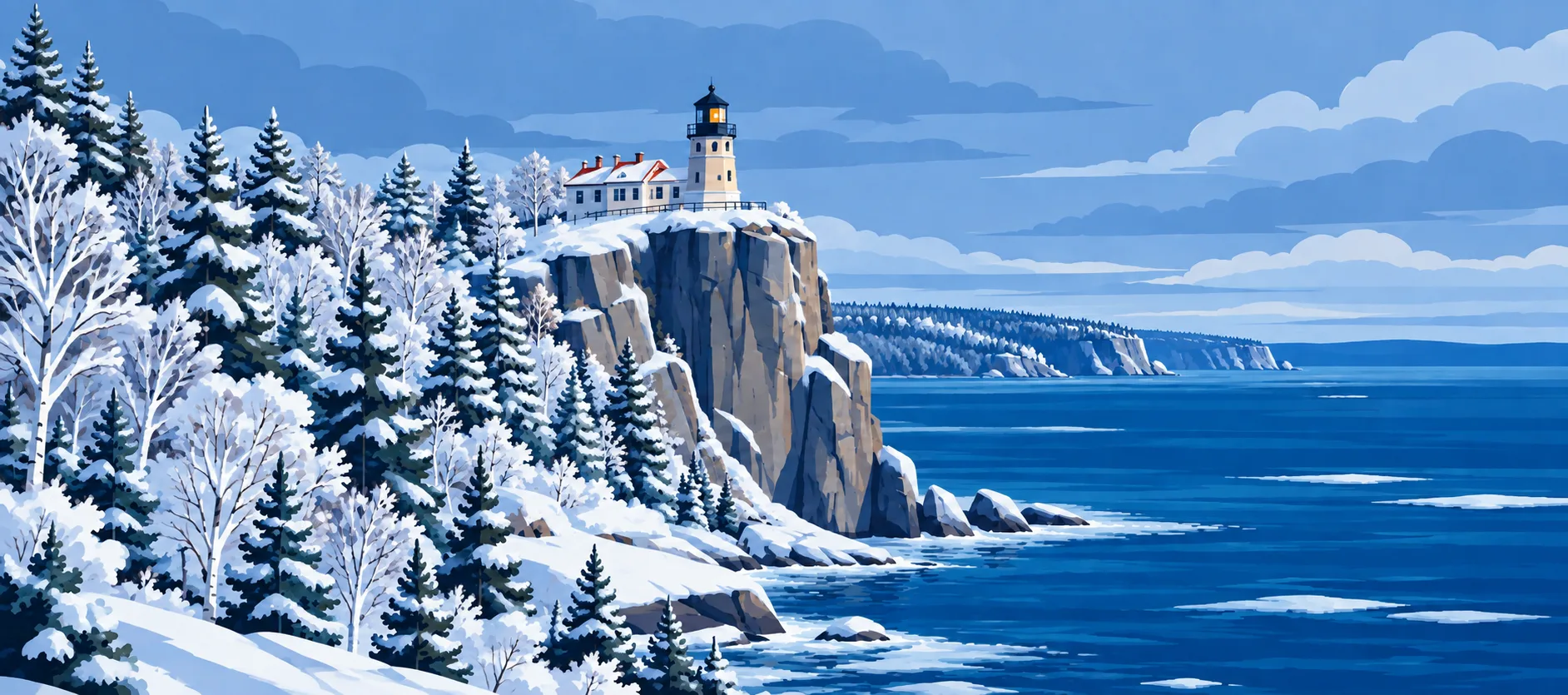
Try another Minnesota landmark
Interactive image ready. Move a pointer across the image to reveal winter.